What’s new
This helps you plan Stories ahead, get a mobile reminder, and finish posting inside Instagram with stickers, links, music, or trending audio.
How it works
- Schedule Instagram Stories Inside Social Planner
Users can:
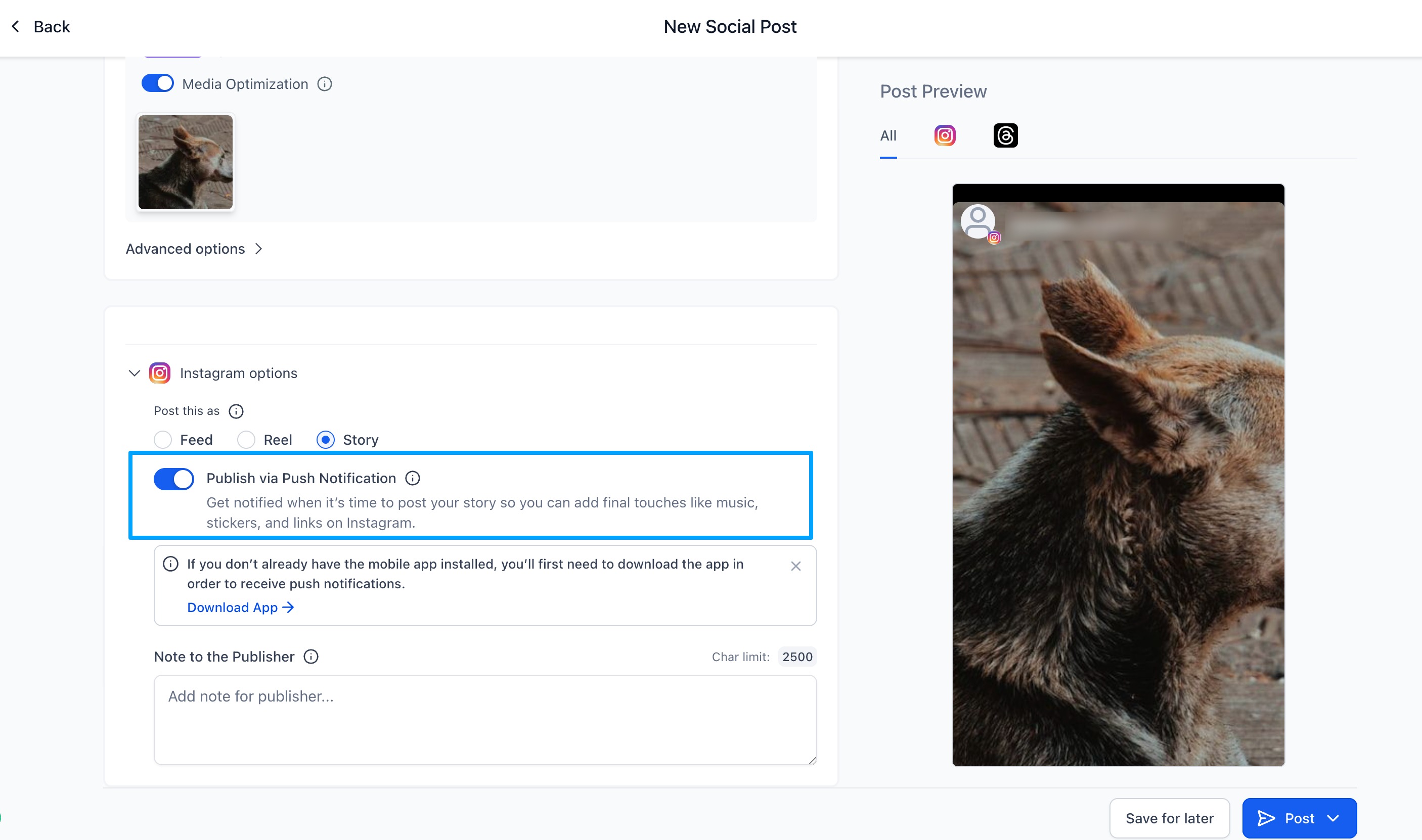
- Select Instagram Story in the Post Composer
- Choose Publish via Push Notification
- Add media + caption
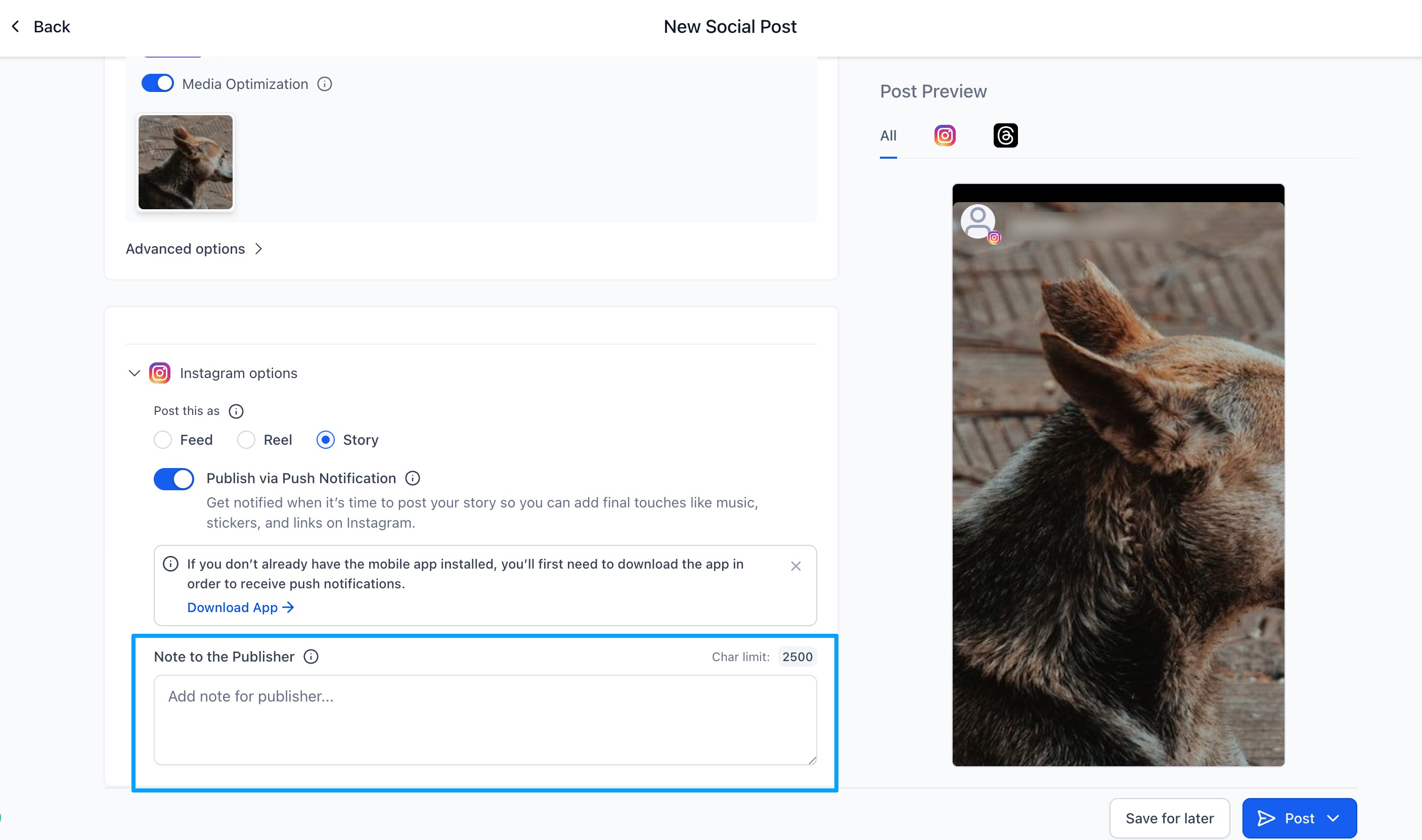
- Add optional notes for the teammate who will publish
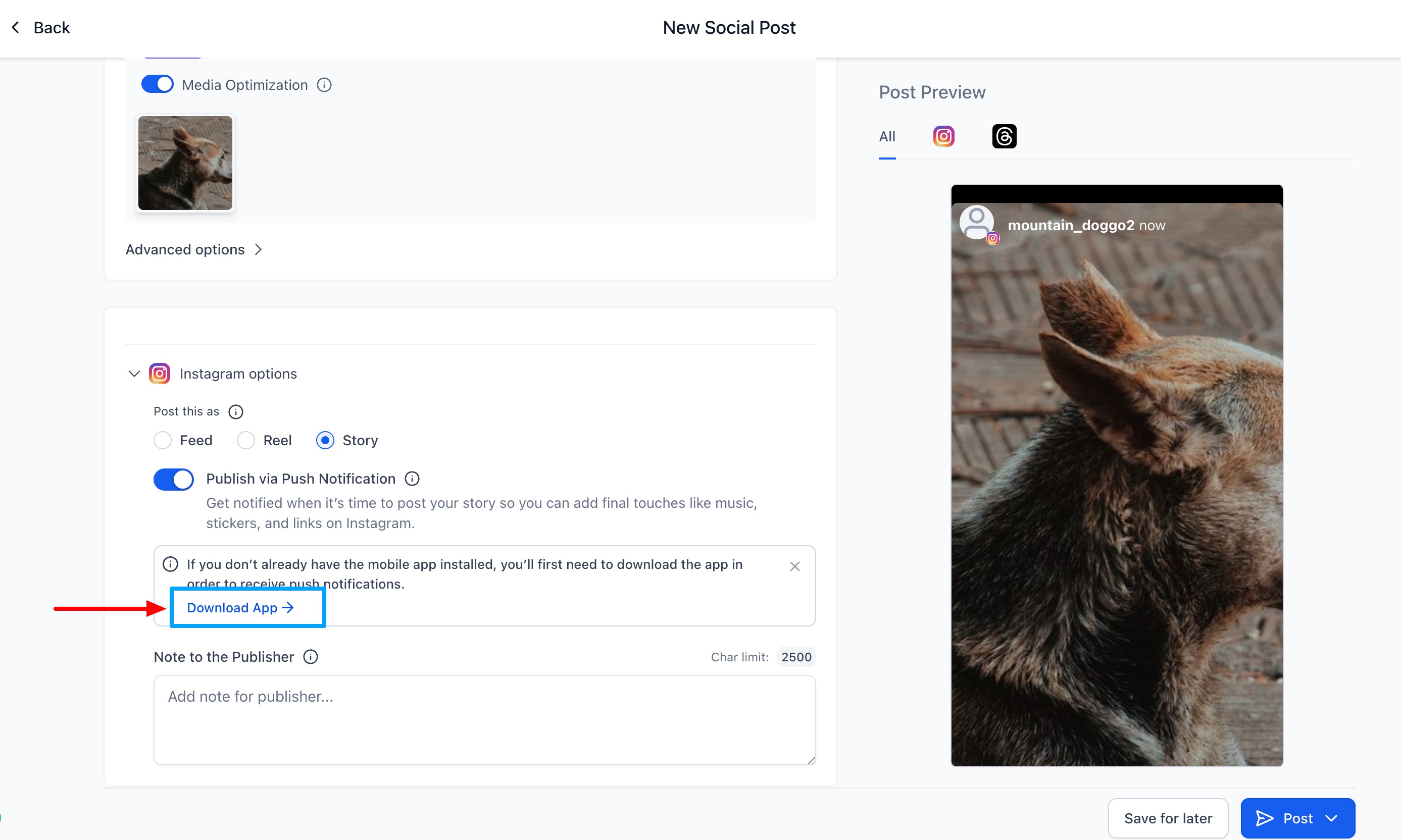
Download Mobile App QR if you don't have the app from the "Download App" CTA
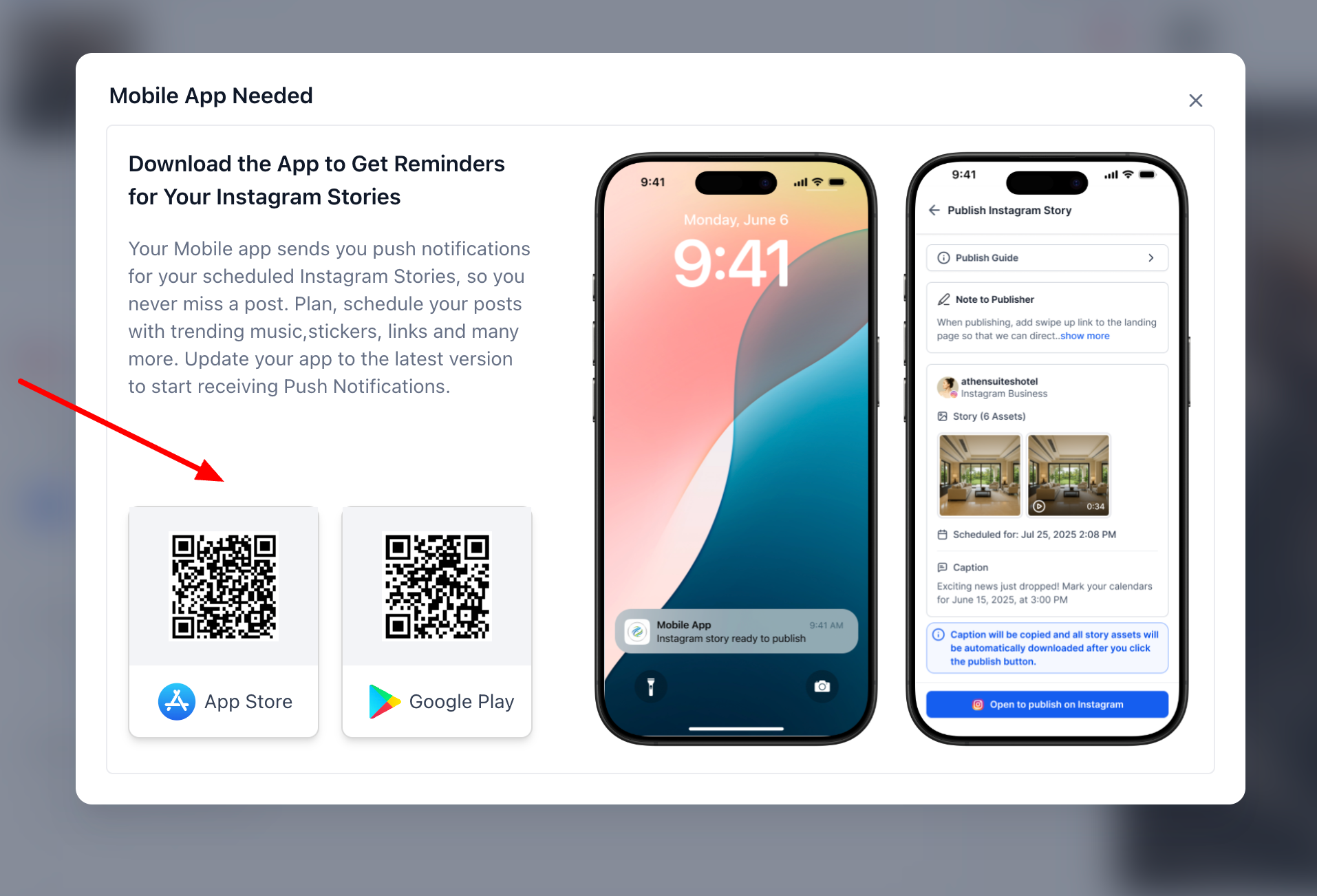
2) Mobile Push Notification Workflow
At the scheduled time, Social Planner triggers a push notification.
Tapping it automatically:
- Loads the Story ready media in your phone
- Copies caption to the clipboard
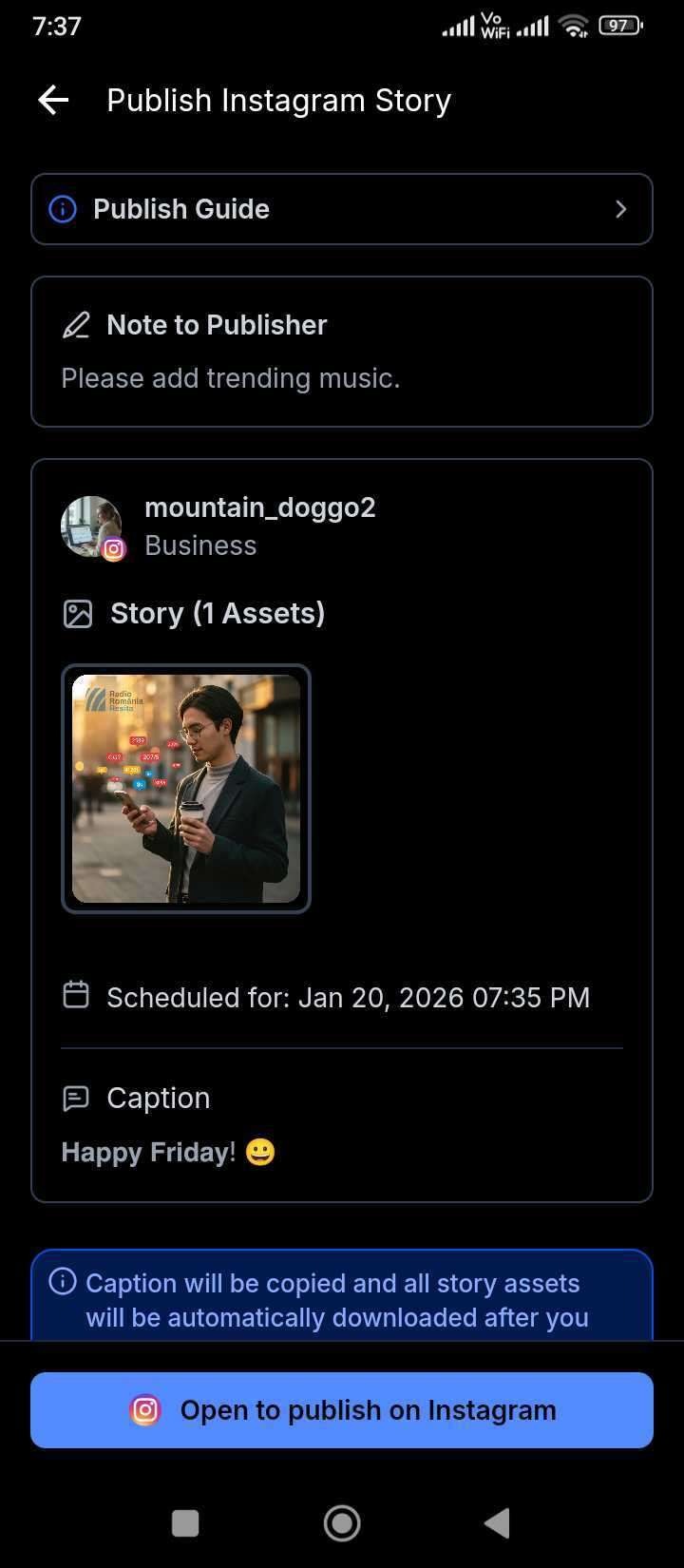
Users can then add Instagram native elements such as music, stickers, links, and trending audio before publishing manually.
Why it matters
This feature allows users to:
- Stay consistent with Story posting
- Use Instagram’s native tools (music, stickers, links, interactive elements)
- Improve collaboration between schedulers and publishers
- Maintain creative flexibility while still scheduling ahead
- Reduce workflow gaps created by Instagram’s API limitations
Was this article helpful?
That’s Great!
Thank you for your feedback
Sorry! We couldn't be helpful
Thank you for your feedback
Feedback sent
We appreciate your effort and will try to fix the article
